7 ChatGPT hacks to maximize your productivity — here's how to try them
- 分类:
Clippings - 创建:
2025-01-21 - 标签:
clippings
文章来源
https://www.tomsguide.com/ai/chatgpt/7-chatgpt-hacks-to-maximize-your-productivity-heres-how-to-try-them 作者:Amanda Caswell | 2025-01-21T14:06:48-07:00
文章摘要
本文介绍了如何充分利用ChatGPT的潜力,提供了一系列实用技巧,包括使用临时聊天功能保护隐私、快速检索过去的对话、掌握键盘快捷键、利用增强的搜索功能、管理内存以实现个性化交互、使用自定义指令定制ChatGPT的行为、归档聊天记录以便有组织地保存记录,以及直接在ChatGPT中增强图像处理能力。这些技巧旨在帮助用户更高效地使用ChatGPT,提升工作效率和用户体验。
关键事实
- 临时聊天功能:用于保护隐私,确保敏感信息不被存储。
- 快速检索对话:通过搜索栏或快捷键快速找到过去的对话。
- 键盘快捷键:提高导航效率,如复制响应、打开新聊天等。
- 增强搜索功能:查看相关图像、访问来源并进行后续讨论。
- 管理内存:个性化交互,根据需要启用或清除记忆。
- 自定义指令:定制ChatGPT的响应和行为。
- 归档聊天:整理聊天记录,保持界面整洁。
- 图像处理:利用Python Pillow库增强图像质量。
文章正文
(Image credit: OpenAI) (图片来源:OpenAI)
ChatGPT has undeniably transformed the AI landscape, seamlessly integrating into daily tasks to enhance efficiency and productivity. Whether it's summarizing appliance manuals or providing advice to help me get ready for my day, ChatGPT's versatility is clear. From drafting emails in seconds to offering coding support, the chatbot has become an indispensable tool for streamlining workflows.
ChatGPT 无可否认地改变了人工智能格局,无缝集成到日常任务中以提高效率和生产力。无论是总结设备手册还是提供建议来帮助我为新的一天做好准备,ChatGPT 的多功能性都是显而易见的。从在几秒钟内起草电子邮件到提供编码支持,聊天机器人已成为简化工作流程不可或缺的工具。
To fully harness ChatGPT's potential, I’ve put together a list of my favorite ChatGPT hacks that maximize the chatbot’s output. These strategies are worth implementing if you’re looking to master prompts, leverage custom instructions or do just about anything else to get the most out of the AI assistant.
为了充分利用 ChatGPT 的潜力,我整理了一份我最喜欢的 ChatGPT 黑客的列表,这些黑客可以最大限度地提高聊天机器人的输出。如果您希望掌握提示、利用自定义指令或执行任何其他操作来充分利用人工智能助手,那么这些策略就值得实施。
1. Temporary chats for sensitive information
1.临时聊天敏感信息
(Image credit: Future) (图片来源:未来)
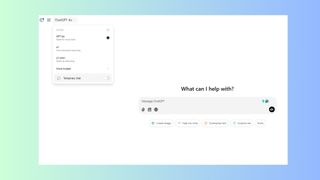
While it’s never wise to put confidential information into ChatGPT, if you are doing a one-off query that you would prefer to keep private, use ChatGPT’s temporary chat feature.
虽然将机密信息放入 ChatGPT 绝不是明智之举,但如果您正在进行一次性查询且希望保密,请使用 ChatGPT 的临时聊天功能。
Maybe you’re looking for advice on the best diamonds for an engagement ring or tips for a special Valentine’s Day and don’t want your sweetheart to see what you’ve been searching. Whatever the reason, this feature ensures that your conversations aren't stored in the chat history, maintaining privacy and security.
也许您正在寻找有关订婚戒指的最佳钻石的建议或有关特殊情人节的建议,但不希望您的爱人看到您一直在搜索的内容。无论出于何种原因,此功能都可以确保您的对话不会存储在聊天历史记录中,从而维护隐私和安全。
LATEST VIDEOS FROM tomsguide tomsguide 的最新视频
2. Quickly retrieve previous conversations
2.快速检索以前的对话
(Image credit: Future) (图片来源:未来)
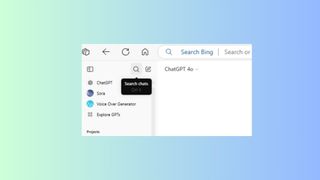
Perhaps you want to revisit a past query but can’t remember where to find it. Now, quickly locate past interactions by using the search bar or keyboard shortcuts. Type the keywords or phrases that you remember and ChatGPT will search through all your past conversations based on those keywords.
也许您想重新访问过去的查询,但不记得在哪里可以找到它。现在,使用搜索栏或键盘快捷键快速找到过去的交互。输入您记住的关键字或短语,ChatGPT 将根据这些关键字搜索您过去的所有对话。
If you don’t find what you’re looking for, it could be that you were logged in under a different email address, the search was temporary or the keyword is wrong.
如果您没有找到所需内容,可能是因为您使用了其他电子邮件地址登录、搜索是临时的或关键字错误。
3. Master keyboard shortcuts
3.掌握键盘快捷键
(Image credit: Future) (图片来源:未来)
Enhance your navigation within ChatGPT by utilizing keyboard shortcuts. These will allow you to stay on task and work more efficiently without reaching for your mouse. Familiarity with these shortcuts can significantly speed up your workflow.
利用键盘快捷键增强 ChatGPT 中的导航功能。这些将使您能够专注于任务并更高效地工作,而无需触及鼠标。熟悉这些快捷方式可以显着加快您的工作流程。
Get instant access to breaking news, the hottest reviews, great deals and helpful tips.
Command Shift C: Copies the last response.
命令 Shift C:复制最后的响应。
Command Shift O: Opens a new chat.
命令 Shift O:打开新聊天。
Command Shift S: Toggles the sidebar.
命令 Shift S:切换侧边栏。
Command Shift I: Accesses custom instructions.
命令 Shift I:访问自定义指令。
/ (forward slash): Displays a list of actions within a chat.
/(正斜杠):显示聊天中的操作列表。
4. Leverage the enhanced search feature
4. 利用增强的搜索功能
(Image credit: Future) (图片来源:未来)
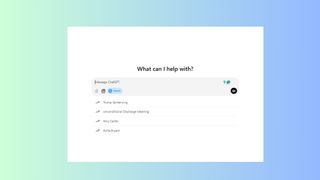
ChatGPT's updated search functionality allows you to view multiple images related to your query, access clickable sources for deeper insights and engage in follow-up discussions that pertain to the search results.
ChatGPT 更新的搜索功能允许您查看与查询相关的多个图像,访问可点击的来源以获得更深入的见解,并参与与搜索结果相关的后续讨论。
Prompting the model to use search when necessary helps to obtain the most accurate and comprehensive information in real time.
在必要时提示模型使用搜索有助于实时获取最准确、最全面的信息。
5. Manage memory for personalized interactions
5. 管理内存以实现个性化交互
(Image credit: Future) (图片来源:未来)
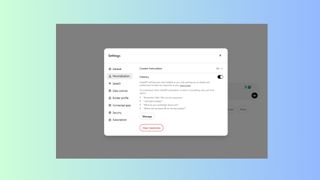
This is one of my favorite features because sometimes I want ChatGPT to remember things and other times I’d rather it not. With memory enabled, ChatGPT can recall details about you, tailoring responses to your preferences. I once asked ChatGPT Vision for help finding a quilt pattern. My mom is the quilter and not me but ChatGPT often refers to me as a quilter because of that query. For that reason, I needed to clear out ChatGPT memory.
这是我最喜欢的功能之一,因为有时我希望 ChatGPT 记住一些事情,而有时我又不想它记住。启用记忆功能后,ChatGPT 可以回忆起您的详细信息,根据您的偏好定制响应。我曾经向ChatGPT Vision寻求帮助寻找被子图案。我妈妈是被子而不是我,但 ChatGPT 经常因为这个问题而称我为被子。因此,我需要清除 ChatGPT 内存。
To do this go to Settings > Personalization > Manage memory.
要执行此操作,请转至设置 > 个性化 > 管理内存。
You can also instruct ChatGPT to add something to the memory for future reference by telling it to “remember this” during conversations.
您还可以通过告诉 ChatGPT 在对话期间“记住这一点”来指示 ChatGPT 将一些内容添加到内存中以供将来参考。
6. Customize ChatGPT's behavior with custom instructions
6. 使用自定义指令自定义 ChatGPT 的行为
(Image credit: Future) (图片来源:未来)
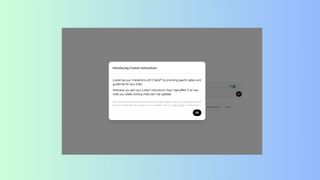
For ChatGPT Plus users, you can direct ChatGPT's responses by providing specific instructions and setting guidelines for how you want the assistant to act during chats. Adding customized instructions allows for a more tailored and consistent user experience.
对于 ChatGPT Plus 用户,您可以通过提供具体说明并设置您希望助手在聊天期间如何操作的指南来指导 ChatGPT 的响应。添加定制说明可以提供更加定制和一致的用户体验。
Similarly, you can exercise control over your personal information by adjusting data settings. Disable the option for OpenAI to use your content for model training to ensure your data is used exactly how you want.
同样,您可以通过调整数据设置来控制您的个人信息。禁用OpenAI使用您的内容进行模型训练的选项,以确保您的数据完全按照您想要的方式使用。
7. Archive chats for organized record-keeping
7. 归档聊天记录,以便有组织地保存记录

(Image credit: Future) (图片来源:未来)
Keep your chat history organized by archiving conversations. When you archive chats, they are removed from the main history but remain searchable for future reference. This feature helps to maintain a clutter-free interface while ensuring important information is more visible.
通过存档对话来整理您的聊天历史记录。当您存档聊天时,它们将从主历史记录中删除,但仍可搜索以供将来参考。此功能有助于保持界面整洁,同时确保重要信息更加可见。
I don't typically archive my chats because I either delete or save. But for those who regularly use ChatGPT, it's a great way to get chats out of the way, while still keeping them available when you need them.
Bonus: enhance images directly within ChatGPT
(Image credit: Future)
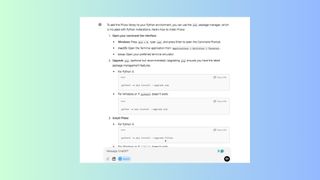
You can improve visual content by utilizing ChatGPT's image processing capabilities. ChatGPT does a fairly good job with images but to make them even better, you can implement Python Pillow library.
You can tweak and modify elements within an image based on prompts or use the Python Pillow library to upscale and enhance images. This feature is particularly useful for tasks requiring quick image edits without leaving the platform.
More from Tom's Guide
- I put ChatGPT vs Gemini to the test with 7 prompts to help me plan my family's Disney vacation — here's the winning chatbot
- I used AI to imagine humanity in 50,000 years — here’s how it went
- Google NotebookLM just got way better with its new interactive features — here's why I'm impressed